Choose a photo
Pick an image from your library or photograph a printed picture.
Repair damage, bring back faded detail, colorize black-and-white pictures, and save the result from one private, easy-to-use app.
Free to download. Includes 2 free credits each month with a verified account. Optional subscriptions, no ads.

PhotoRestore
Restore a photo
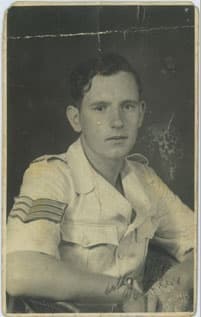
Before

Restored
Three simple steps
Pick an image from your library or photograph a printed picture.
Restore, colorize, enhance, or upscale with a simple guided flow.
Compare both versions, then save or share the restored photo.
Made for memories
PhotoRestore brings the core tools from the website into a focused mobile experience while keeping accounts, subscriptions, ads, and tracking out.
Repair scratches, creases, fading, and soft facial detail with the same restoration engine as PhotoRestore.io.
Add natural-looking color to black-and-white photos, sharpen detail, or upscale a picture for a larger copy.
Use the same account and credits as the website. Your saved restoration history stays on your device. No advertising.
Compare the before and after result, save the restored copy to your device, or share it with family.
Download PhotoRestore for iPhone or Android now, or use the full restoration tool in your browser.